With the new release of iTunes 7, album art automatically appears on your songs. The technology behind this is called CoverArt. With some songs that were imported in my iTunes library prior to the release of iTunes 7, there was no album art. Luckily, there is a marvelous widget out there to save the day, called Amazon Album Art. There are two ways of adding album art to your songs, one is with CovertArt and the other with the Amazon Album Art widget.
Using CovertArt
- Load up iTunes and locate a song without any album art.
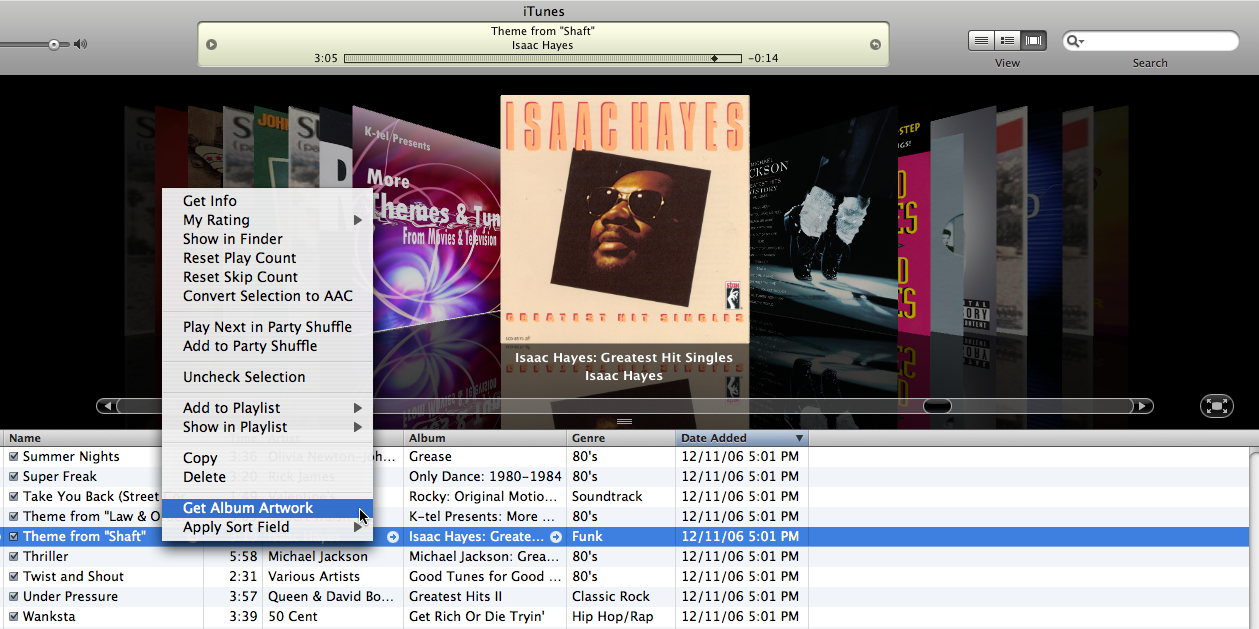
- Right-click on the song title and a contextual menu should appear.
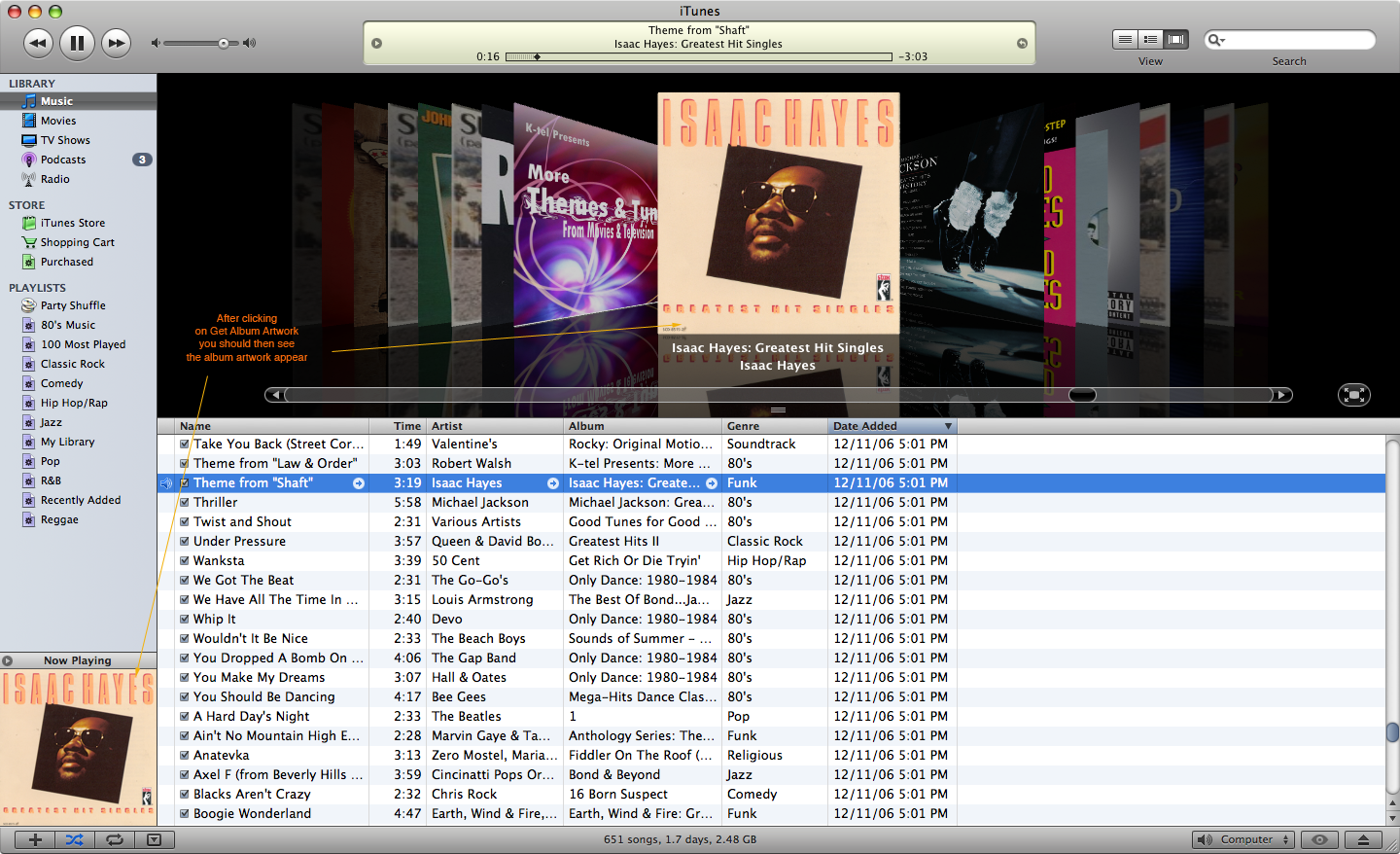
- In the contextual menu click on Get Album Artwork.
- The album art should appear.
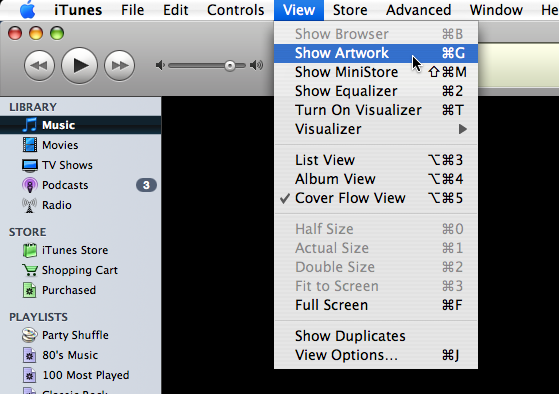
- If you don’t see it, go to View > Show Artwork.
Using The Amazon Album Art Widget
- With iTunes open, click on any song to play it.
- Open Dashboard with the Amazon Album Art widget.
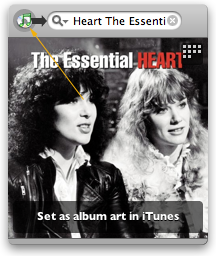
- Click on the small green iTunes icon beside the search bar on the Amazon Album Art widget.
- The album cover should show up in the Amazon Album Art widget.
- Click on the widget, where it says “Set as album art in iTunes”, and the album cover will then show up with the song in iTunes.