Ever wanted to make your apps faster without having to get an upgrade? Through some experimentation, I believe I have found a simple way of speeding up apps. To start off:
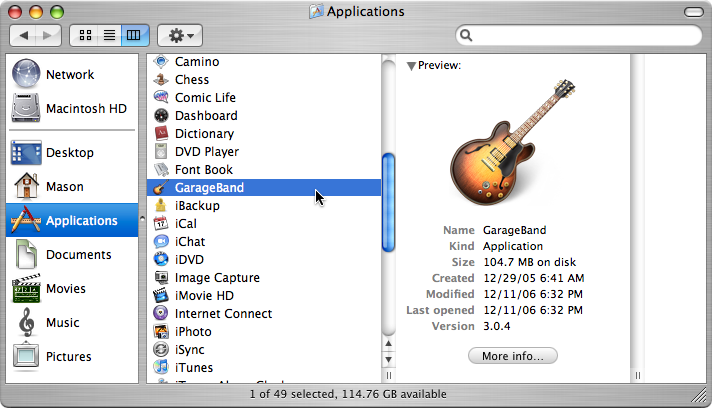
- Go to Finder > Applications.
- Once there, choose any application such as GarageBand.
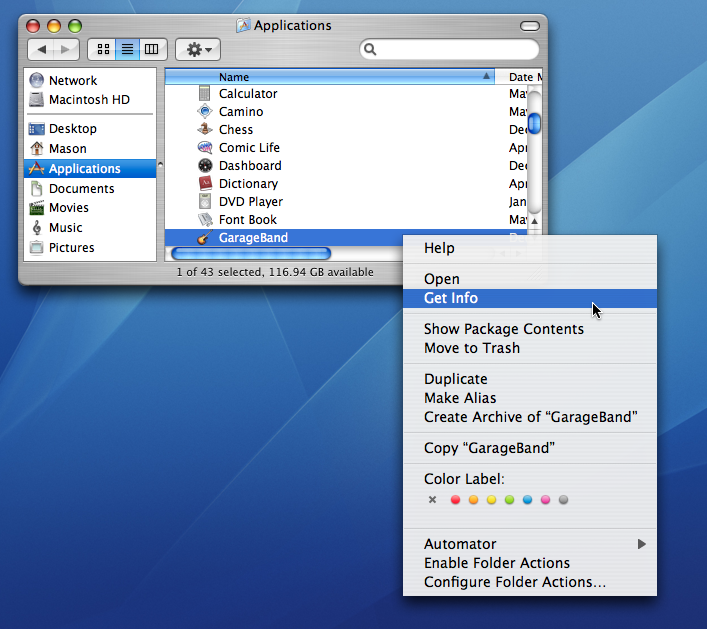
- After selecting your application, right-click on the name of the app.
- In the contextual menu, you’ll see Get Info.
- Click on Get Info.
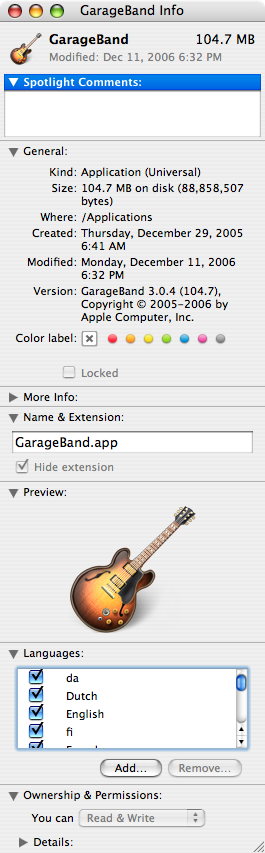
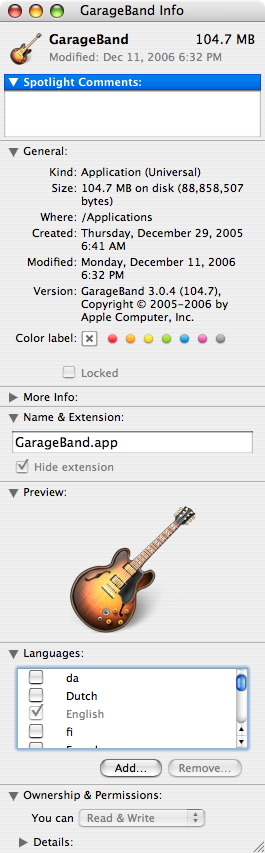
- The Information window should come up with tons of facts about the app.
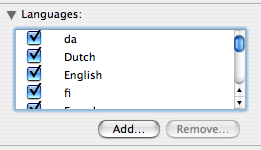
- In the Languages box, you should see many languages checked off.
- Check off all of the languages except English (“en”).
- Load up the app and you should see a significant improvement in the time it takes for the app to load.
- I noticed when clicking on the Safari icon in my dock, it only bounced once instead of 3 or 4.
Manu
Feb. 19, 2007Thanks !! !! !!
Great, great TIP !! !!
Ian
Mar. 3, 2007Hi!
This is a great tip – thanks very much.
Paul Zagoridis
Mar. 4, 2007That’s a great tip that I’m implementing on my iBook right now.