One of the biggest annoyances when I am doing a Skype video call with a friend is when I hear a notification of a message. Luckily, there is an easy fix for this.
- Open Skype and login with your username and password.
- Go to Preferences under Skype menu.
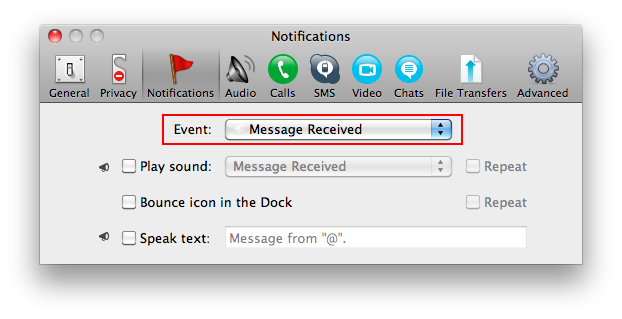
- In the Notifications section, go to “Message Received” under the Event drop-down menu.
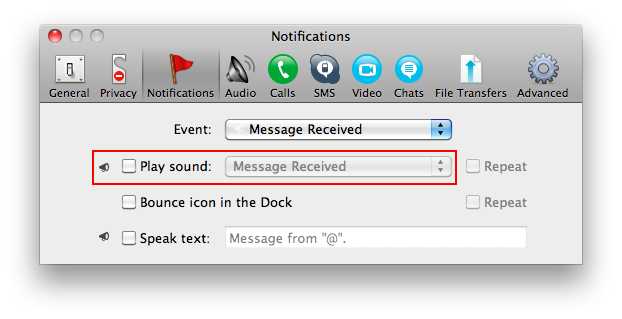
- Beneath, uncheck “Play sound” and the notification sound will no longer occur.
- (Repeat step 3 with “Message Sent” as well).