
When it comes to maintaining a clean workspace, a scanner is by far one of the best tools for the job. With a scanner, you can easily store all of those documents from your desk into your computer. The great thing about having them on your computer is that there is an endless number of possibilities with what you can do. Honestly, the only reason why I scan documents onto my computer is so that I can search through them, especially for longer documents. By using Adobe Acrobat’s OCR-recognition feature, you can now turn those long, small-font, paper documents into digital text-searchable documents. Here’s how:
- Turn on your scanner.
- Open up Acrobat and go to File > Create PDF > From Scanner…
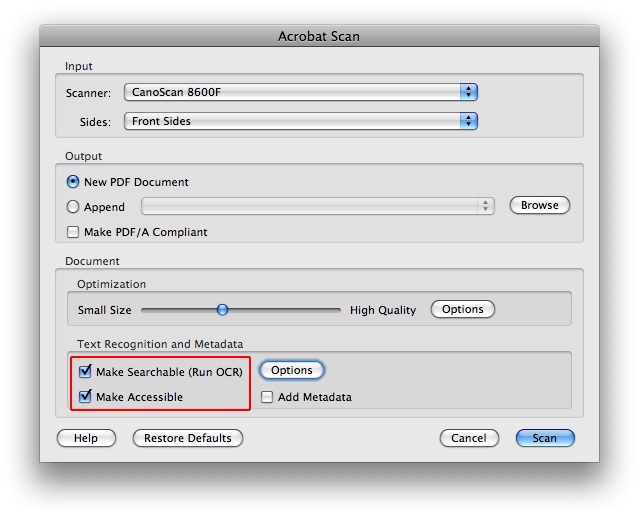
- In the Acrobat Scan window, adjust the settings to your liking.
- Be sure to check off “Make Searchable” and “Make Accessible”.
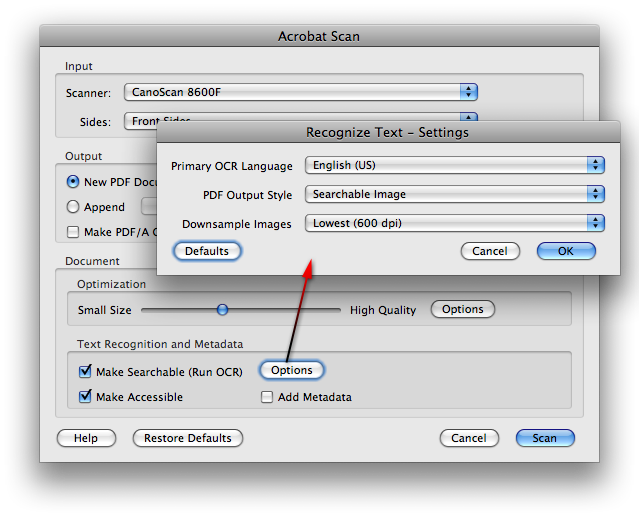
- If you want, click on the “Options” button under Text Recognition and Metadata to edit the OCR settings.
- Now click on the “Scan” button to scan the document into Acrobat.
- When the scan is done, wait for Acrobat to finalize the document so it’s searchable.
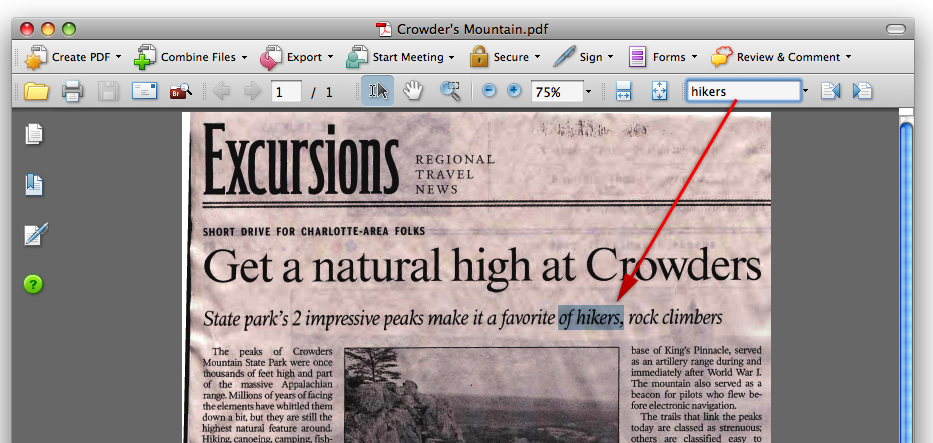
- Now when you open up the PDF with Acrobat or Preview, it is now searchable (text) and when you search with Spotlight it will go through those PDF’s as well.


Kevin Duncan
Apr. 14, 2008Is there a cheaper alternative to Adobe Acrobat?
Mason Sklut
Apr. 14, 2008Hey Kevin,
Yes, there are cheaper alternatives to Adobe Acrobat Professional. I would recommend taking a look at Adobe’s new Create Adobe PDF Online subscription service. It does OCR text-recognition, converts PDF’s to other formats, and more. If you want to see how it works, just go to http://createpdf.adobe.com and sign up for a free trial. The subscription rates go at $9.99/month and $99.99/year.
Thanks,
Mason
Kristian
Sep. 15, 2008Using the Canon scanning software included with every scanner will also produce searchable PDFs.
Edwin Matzner
Dec. 19, 2011I have 2 Canon scanners 1) All-in-one flatbed MG8120 that does produce searchable PDF’s and 2) Canon P-150 small stack scanner that, when you use the program in the scanner (not on the CD) produces non-searchable PDF. Does anybody know whether if you install the CD, the P-150 will give you the searchable option? The P-150 is very useful for multipage documents and automatically scans both sides of each page.
Mason Sklut
Dec. 25, 2011Edwin, to my knowledge the included CD software does not offer the OCR (text-recognition) feature. If you would like to have OCR software that’s cheaper than Adobe Acrobat, take a look at PDFpen ($59.95).