
After Apple came out with Photo Booth, I was able to take pictures using my iSight camera. This was great and all, but a couple days later, I was wondering why Apple doesn’t make an application that would capture videos using the iSight. Surprisingly, there is a hidden feature inside of iMovie that will already do this:
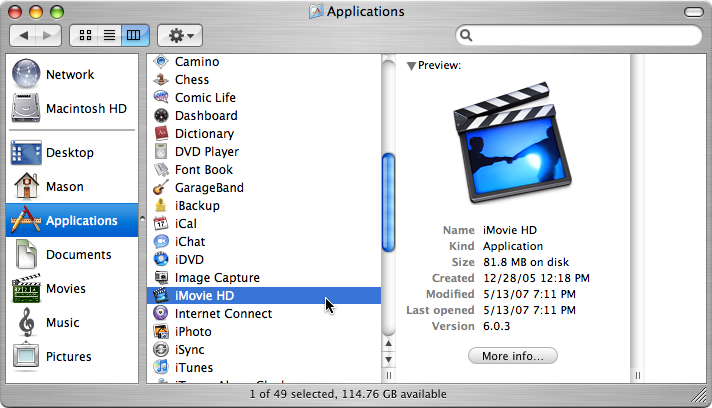
- Open up iMovie from your Applications folder or the Dock.
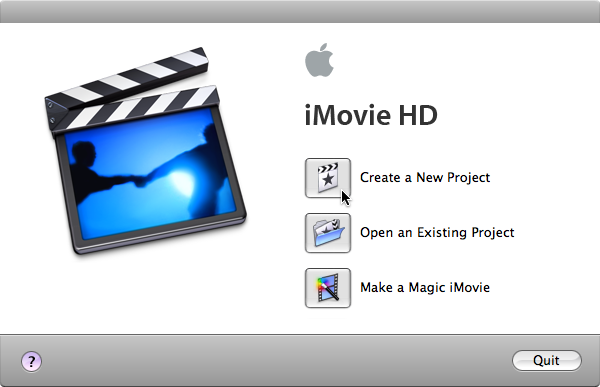
- When iMovie loads up click on Create a New Project in the startup window.
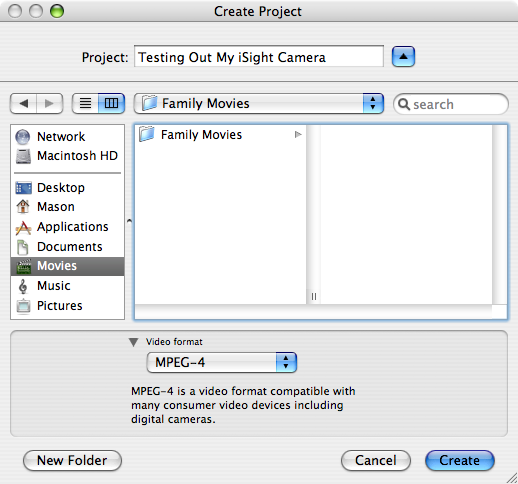
- In the save dialogue box you may notice an option for Video Format, for that just choose any format to save your video in.
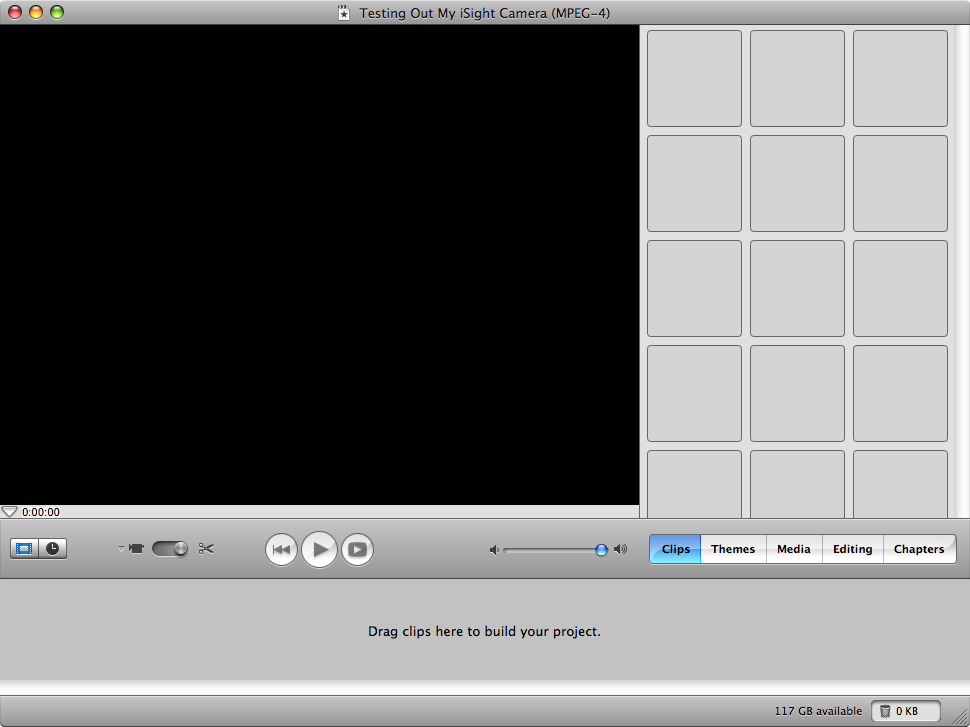
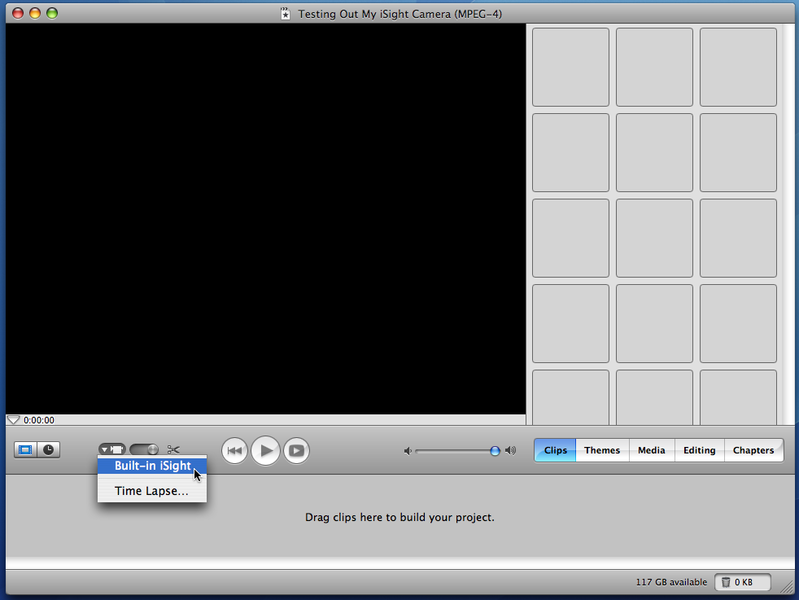
- Then iMovie should load up a window with a black screen and lots of grey squares on the right side.
- Below the black screen in iMovie, you will notice a few controls, one of the them being a small camera icon.
- Click on that and you will see Built-in iSight as an option in a drop down menu.
- You should then see a window (showing what the iSight is focused on) with a button that says “Record With iSight”.
- Click on that button and iMovie will record whatever the iSight is positioned on.
- To stop recording, click on the ‘Record With iSight” button again.
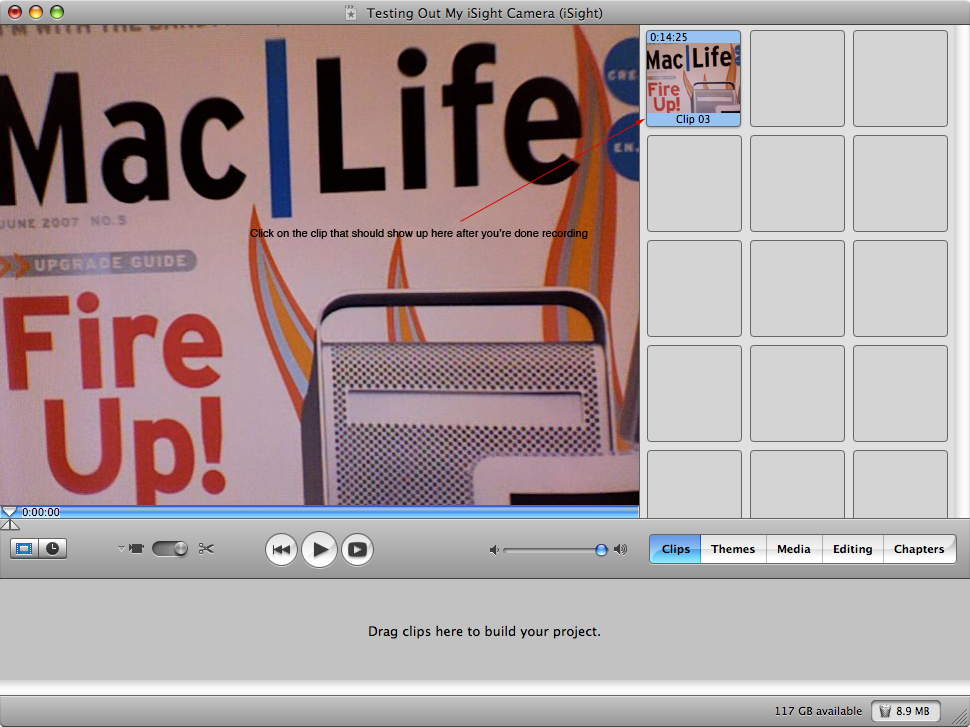
- If you would like to see what you have recorded, click on the clip (ex. “Clip 01”) in the right side where all of the grey squares are.
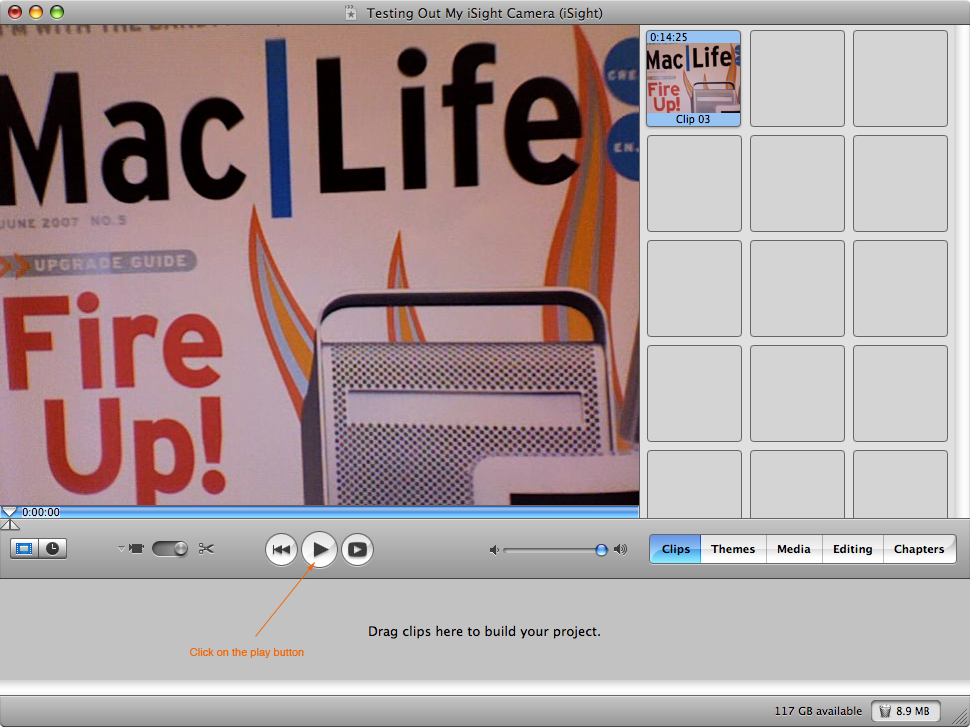
- Then click the Play button (the sideways triangle under the main window in iMovie).
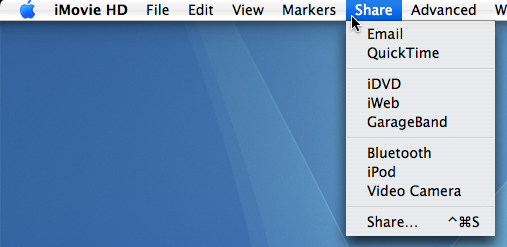
- If you would like to save this movie for different formats such as: iPod, QuickTime, iWeb, GarageBand, iDVD, Email, Bluetooth, or Video Camera, then head up to the Share menu in iMovie.

AquaStarr
Apr. 18, 2007It totally works, including sound! Thanks!
Kyle
Jun. 9, 2007Hell yeah it works — I’m having so much fun playing with it, lol, I’m gonna make a movie.
Kris
Jul. 10, 2007Thanks for posting this! You’d think this feature would be more transparent. I’m glad someone decided to post put clear instructions on how to do this.
Jackie
Sep. 16, 2007Thank you so much–this was very helpful.